 https://cfx.re/join/6gozo8
 Join our Discord
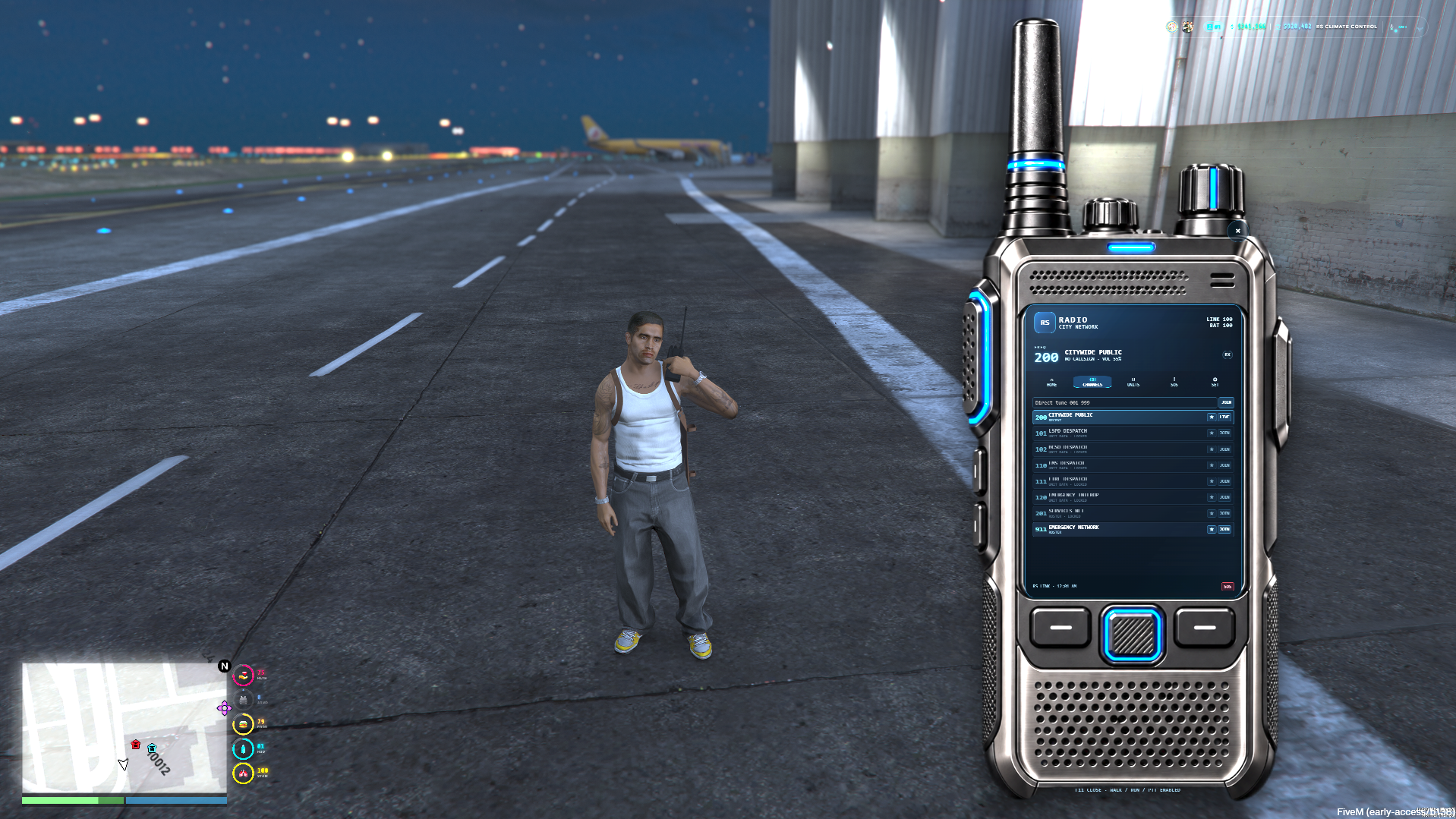
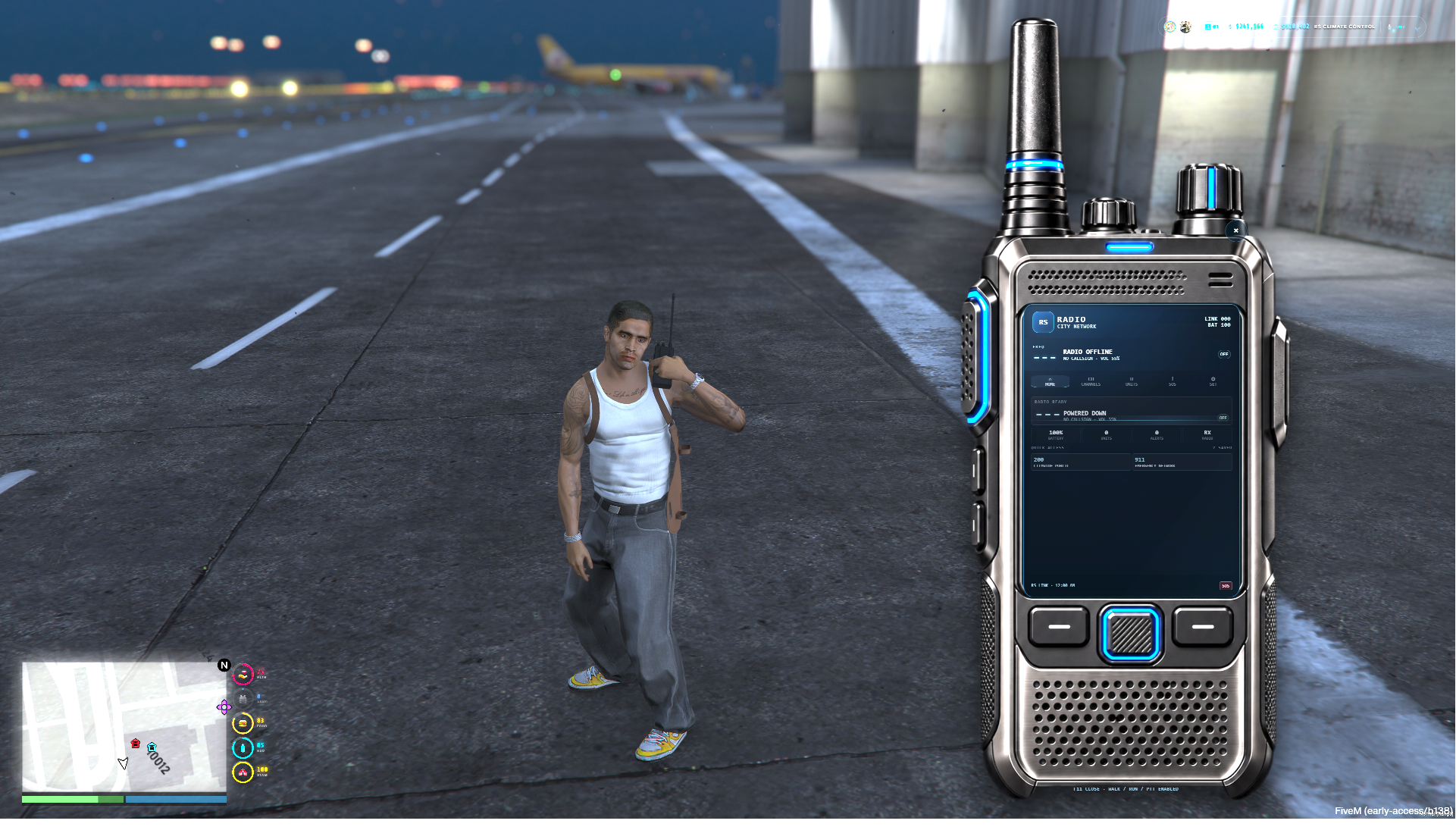
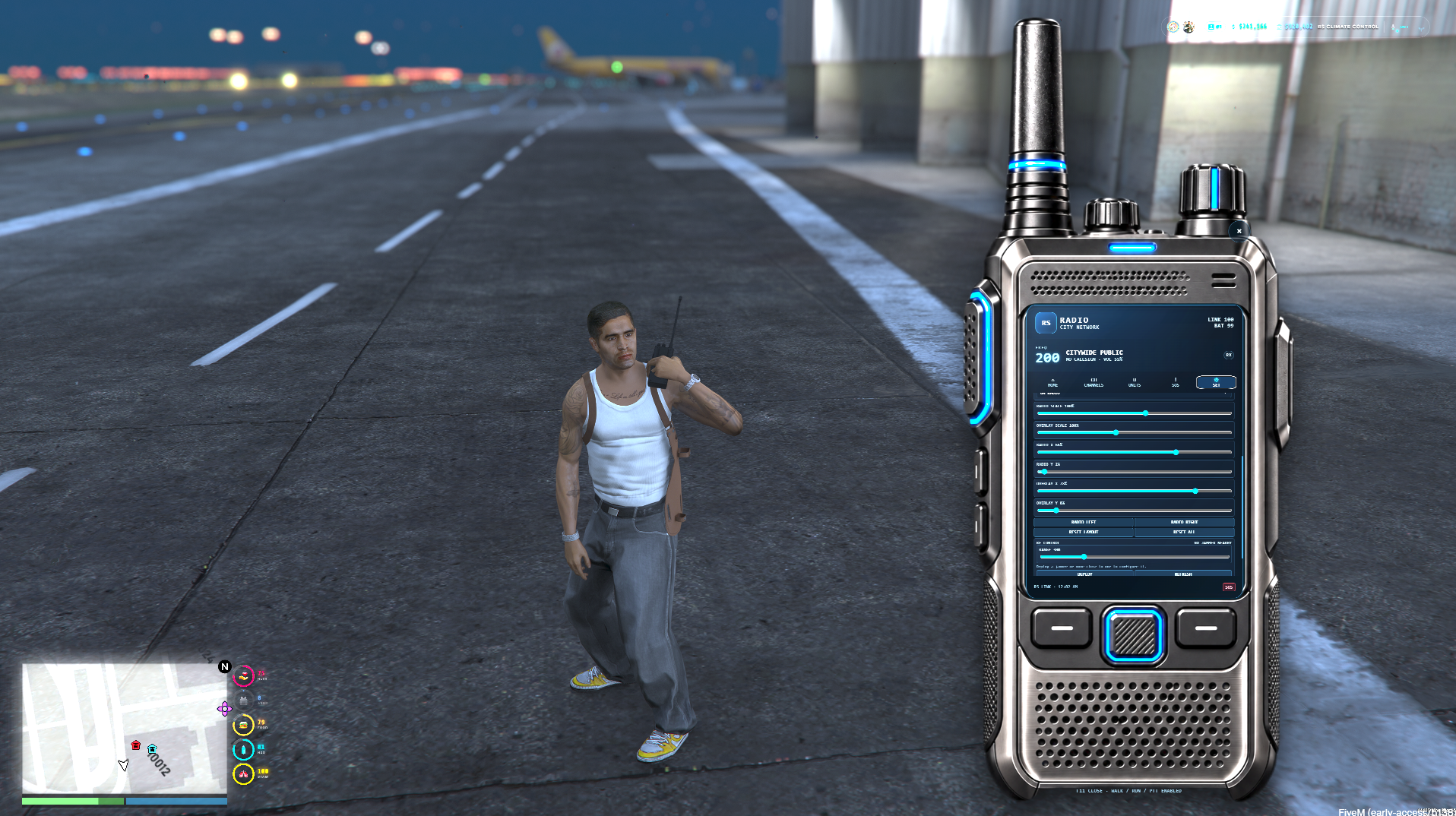
📻 YouTube Preview: Click Here
RS Radio is a polished handheld radio system for FiveM roleplay servers, built for emergency services, gangs, businesses, civilian groups, events, and server-wide communications.
It provides a modern interactive radio UI, server-authoritative channel access, live unit rosters, emergency alerts, persistent profiles, battery support, RF jammers, overlays, and pma-voice integration.
✨ Features
Server-authoritative radio channel access
Real radio voice communication through pma-voice
Public, job, gang, team, role, and ACE-restricted channels
Live unit roster with callsigns and speaking status
Emergency SOS system with GPS support
Favorite and recent channels
Direct frequency tuning
Next and previous channel keybinds
Persistent per-character radio settings
Persistent battery system
Rechargeable radio battery support
RF signal jammer system
Routing-bucket-aware jammer behavior
Configurable jammer range and pass-through channels
Radio volume, deafen, and mic-click controls
Player roster overlay
Adjustable radio position and scale
Adjustable overlay position and scale
Live Settings page controls
Qbox, QBCore, ESX, and standalone/custom support
ox_inventory, framework inventory, and custom inventory support
OneSync-aware runtime state
Late-join state synchronization
Server-side validation for sensitive actions
Export and event support for custom integrations
📱 Interactive Radio Interface
RS Radio includes a full handheld radio interface with multiple pages:
Home
View current frequency, battery level, live unit count, emergency alerts, and quick-access channels.
Channels
Browse configured frequencies, join channels, favorite channels, and use direct tuning.
Units
See connected radio users, callsigns, speaking state, signal state, and unit details.
SOS
View and respond to active emergency calls.
Settings
Adjust volume, deafen, mic clicks, movement behavior, overlay visibility, overlay mode, radio position, radio scale, overlay position, overlay scale, and jammer controls.
Settings sliders update live while being adjusted.
🔐 Channel Permissions
Create channels for different server groups, including:
Police
Sheriff
EMS
Fire
Mechanics
Taxi
Businesses
Gangs
Custom teams
Public radio channels
ACE-protected channels
Access is validated by the server.
🚨 SOS and Emergency Alerts
Players can send emergency radio alerts with configurable recipient rules.
Emergency alerts can include:
Sender name or callsign
Channel information
Location text
GPS coordinates
Alert timer
Active distress board entry
This makes RS Radio useful for police, EMS, fire, survival, and roleplay event servers.
📵 RF Jammers
RS Radio includes deployable RF jammers.
Jammers can:
Block nearby radio communication
Be enabled or disabled
Have configurable range
Allow selected pass-through channels
Be recovered when permitted
Persist across restarts
Respect routing buckets for housing, arenas, missions, and instances
🔋 Battery System
RS Radio supports persistent radio battery state.
Server owners can configure:
Starting battery level
Battery drain
Low-battery warnings
Recharge items
Recharge amount
Physical radio item requirement
The radio can also be configured to open without requiring an inventory item.
🔌 Framework Compatibility
Supported modes:
Qbox
QBCore
ESX
Standalone / custom frameworks
Inventory support includes:
ox_inventory
QBCore inventory
ESX inventory
custom standalone inventory exports/events
No external bridge resource is required.
🎮 GTA V Legacy and GTA V Enhanced
RS Radio uses one universal package for GTA V Legacy and GTA V Enhanced.
The current release uses pma-voice as the production radio voice transport.
Enhanced servers should use the included Enhanced configuration notes and should disable pma-voice proximity cycling on F11 so RS Radio owns the F11 open/close key.
⌨️ Default Controls
F11 — Open / close radio
Period — Next available channel
Comma — Previous available channel
Escape — Close radio
X button — Close radio
The F11 close path includes additional NUI focus protection for GTA V Enhanced stability.
🧩 Developer Support
RS Radio includes exports and events for server owners and developers.
Common integrations include:
Open radio
Close radio
Join radio channel
Leave radio channel
Recharge radio
Set battery level
Assign teams
Clear teams
Read player team
Reset radio profile
Place RF jammer
Send communication events from other resources
📦 Requirements
FiveM server with OneSync
pma-voice
Qbox, QBCore, ESX, or standalone/custom framework
oxmysql installed for the included persistence helper
ox_lib optional for notifications
⚠️ Important
Run only one complete radio controller at a time.
❤