 https://cfx.re/join/6gozo8
 Join our Discord
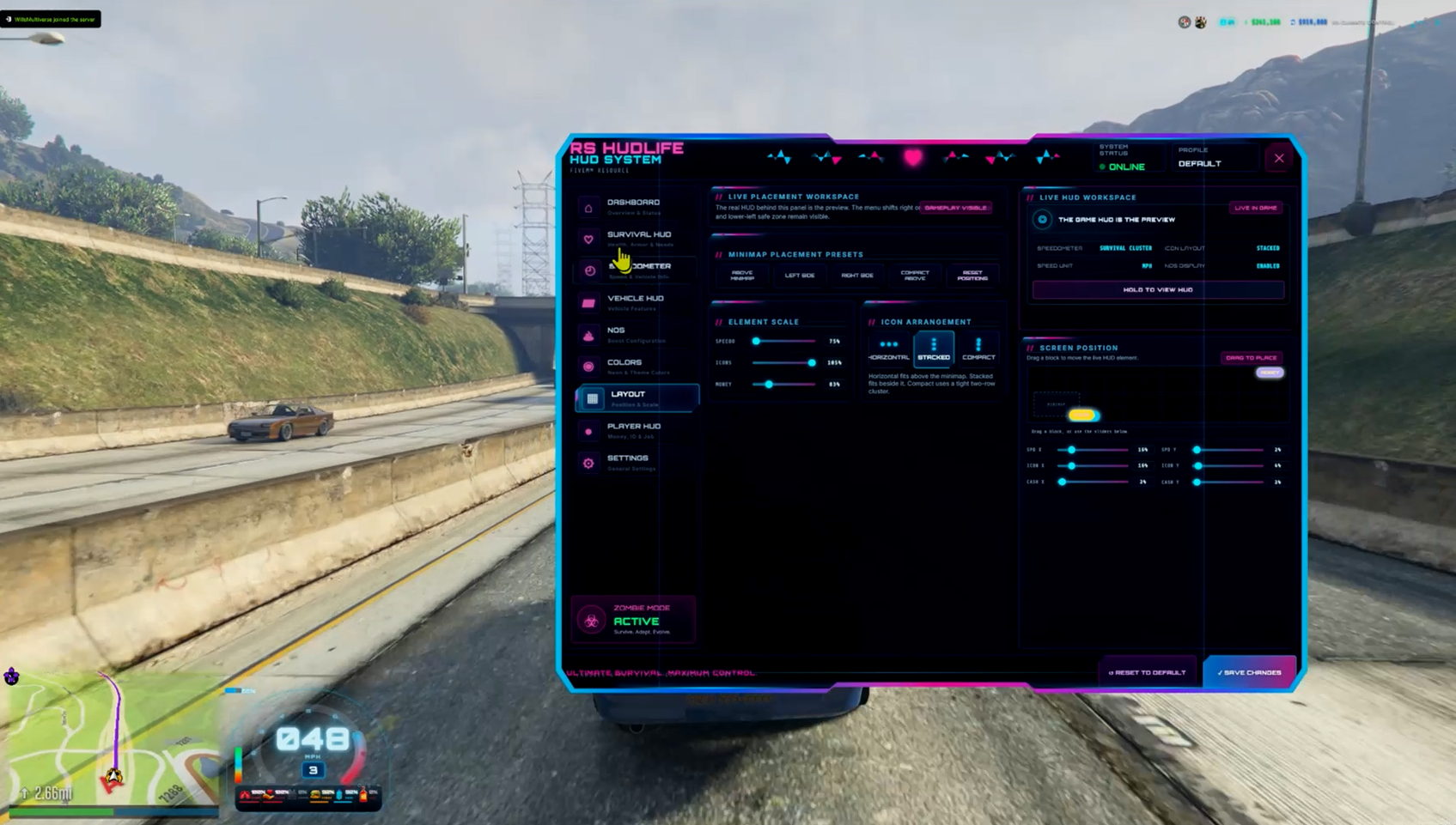
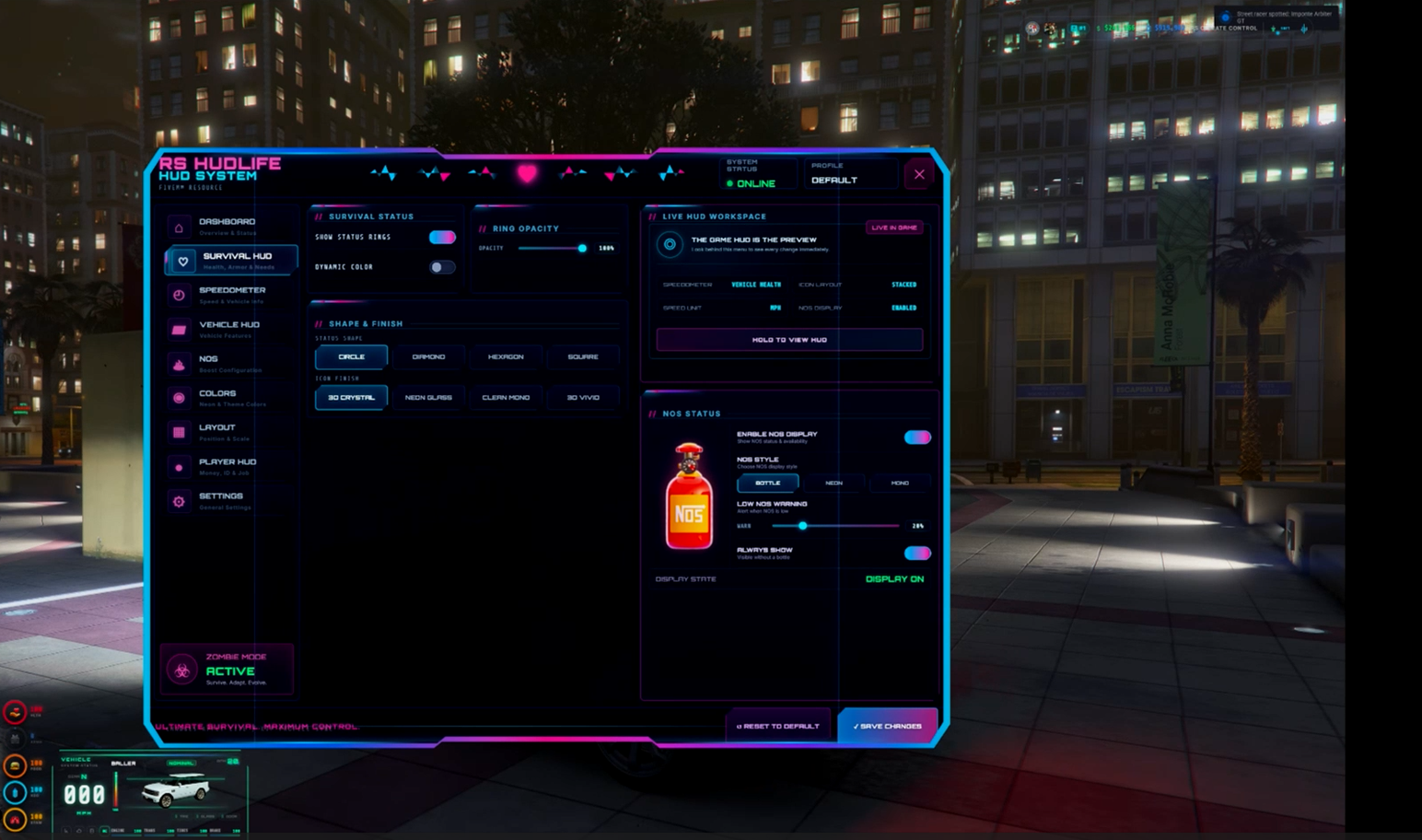
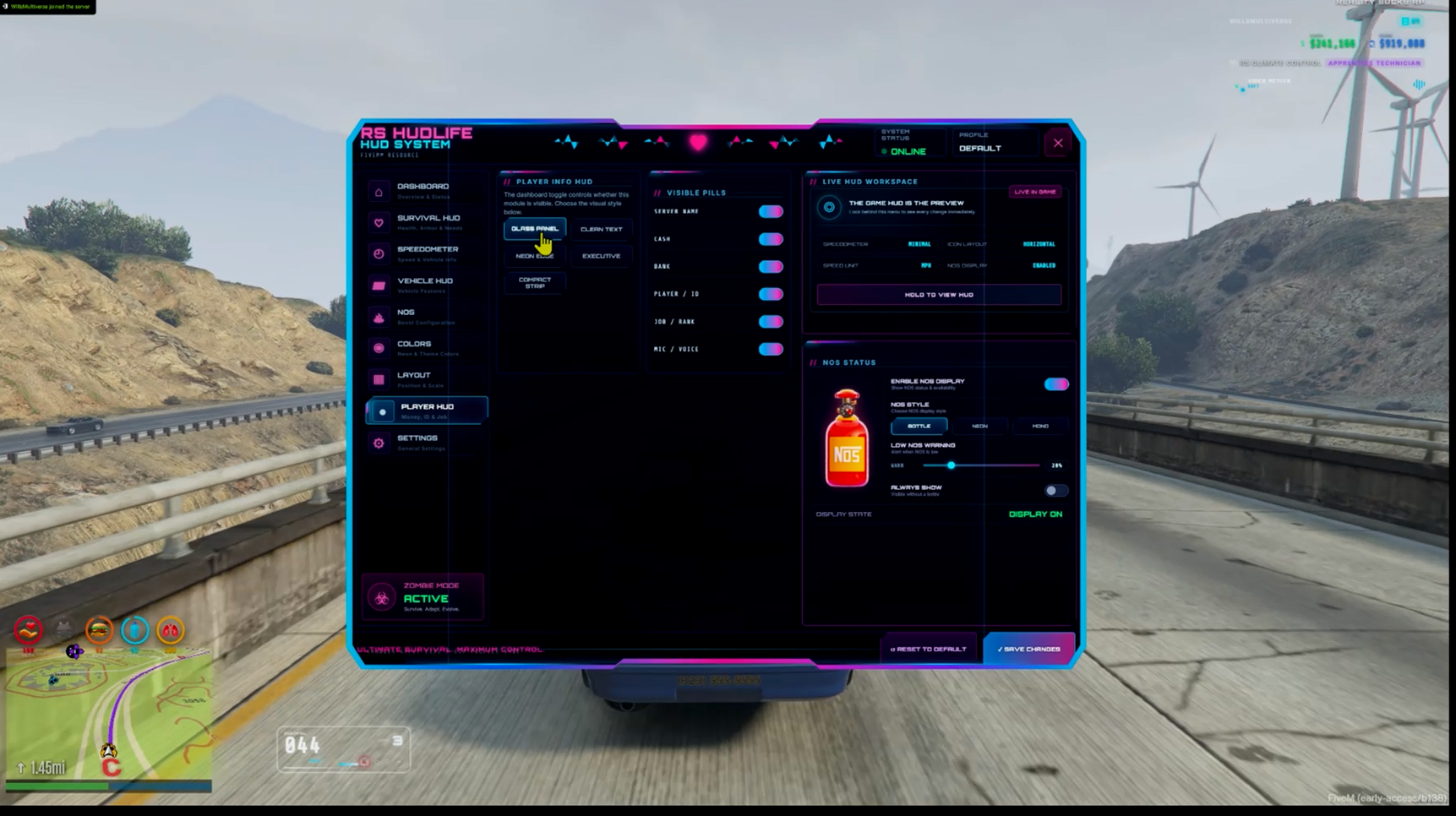
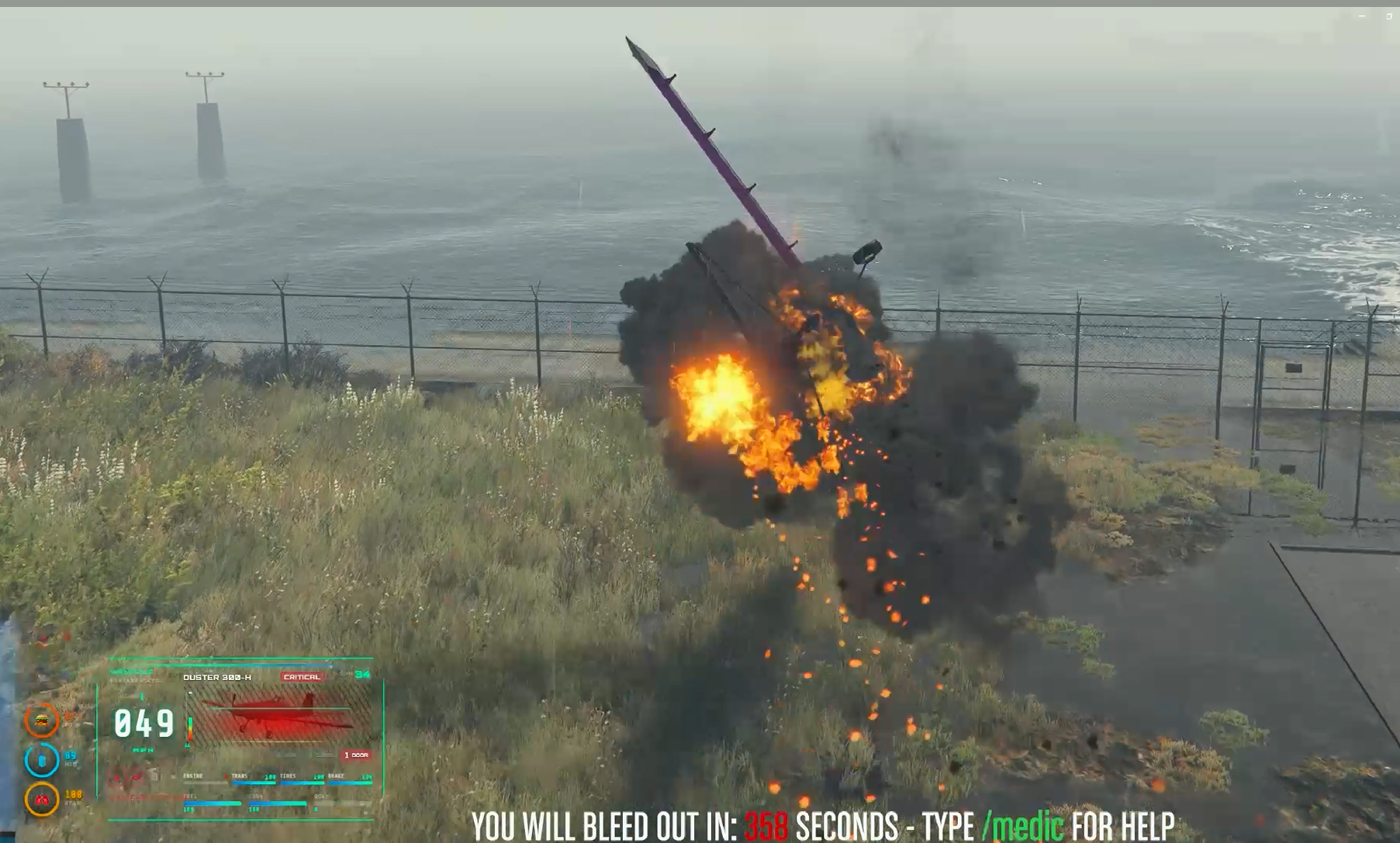
🚘 RS HUDLife | Immersive Vehicle HUD + 921 Vehicle Art Library
RS HUDLife is a feature-rich FiveM HUD designed to make entering and driving a vehicle feel like an actual event instead of simply displaying another speedometer.
YouTube Preview: Click Here
Fully customizable for your server. If you don't use 921 vehicles, aircraft, emergency and boats. You can minimize the count to what your using, its up to you.
Every time a player gets into a supported vehicle, HUDLife can identify the vehicle and bring its identity to life through a cinematic HUD experience featuring vehicle-specific artwork, custom sound effects, animated boot sequences, speedometer displays, NOS information and configurable player HUD elements.
The package includes a curated library of 921 vehicle images, allowing supported GTA vehicles to visually appear directly inside the HUD when the player enters them.
This is not just a speedometer.
It is a complete vehicle-focused HUD experience.
🚗 921 Vehicle Image Library
One of HUDLife's signature features is its large included vehicle artwork system.
When a player enters a supported vehicle, HUDLife can automatically identify it and display the corresponding vehicle artwork as part of the HUD experience.
✅ 921 included vehicle images
✅ Automatic vehicle detection
✅ Vehicle-specific visual presentation
✅ GTA V Legacy compatibility
✅ GTA V Enhanced-aware vehicle-name fallback handling
✅ PNG vehicle artwork support
✅ WEBP artwork support for custom additions
✅ Server owners can expand the vehicle image library
Instead of every vehicle looking identical inside the HUD, the vehicle itself becomes part of the interface.
🎛️ 10 Speedometer Styles
Players are not locked into one design.
HUDLife includes 10 selectable speedometer layouts, allowing players or server owners to choose the presentation that best fits their server.
HUD settings can be changed through the built-in F9 settings interface and are saved locally for the player.
Settings include options for:
- Speedometer selection
- HUD visibility
- Minimized mode
- Player status display
- Money display
- Audio
- Boot animation behavior
- NOS display
- NOS warning level
- NOS visual style
- Additional HUD preferences
Player preferences persist between sessions using FiveM KVP storage.
🎬 Cinematic Vehicle Boot Sequence
Getting into a vehicle can trigger HUDLife's animated startup sequence.
Vehicle identification, artwork, interface elements and sounds work together to create a more immersive transition from being on foot to driving.
The system also handles:
✅ Vehicle entry
✅ Vehicle exit
✅ Direct vehicle-to-vehicle switching
✅ Seat/vehicle changes
✅ Interrupted boot sequences
✅ Pause menu interruptions
✅ Inventory interruptions
✅ Resource restarts
✅ Character logout/reload cleanup
The boot system is designed so old vehicle sessions cannot incorrectly reappear after the player has already exited or changed vehicles.
🔊 Custom HUD Sound Effects
HUDLife includes its own sound presentation to make vehicle entry and interface changes feel more alive.
Sounds can accompany the HUD boot process and other supported interface actions.
Audio can also be controlled from the HUD settings menu.
💨 NOS / Nitrous HUD Integration
HUDLife includes a dedicated NOS display system instead of treating nitrous as an afterthought.
Supported features include:
✅ NOS level display
✅ Low-NOS warning control
✅ Multiple NOS visual styles
✅ Bottle / Neon / Mono presentation options
✅ Configurable simulation support
✅ External NOS state integration
✅ RS Customs integration support
✅ qb-mechanicjob compatibility path
✅ Runtime NOS state synchronization
The NOS display can be disabled completely when not wanted.
🧍 Player HUD Information
HUDLife can also display relevant player information alongside the vehicle interface, including supported:
- Player status information
- Money information
- Job/framework data
- Voice/talking state
- Seatbelt state
- Vehicle-related status information
Individual portions of the interface can be configured without forcing players into one fixed HUD layout.
⚙️ Built-In F9 Settings Menu
Players can personalize HUDLife directly in-game.
Press F9 to access the HUD configuration interface.
Changes are saved locally, allowing each player to create their preferred HUD experience without requiring administrators to maintain separate configurations for everyone.
The master HUD option can also disable the complete HUD presentation when desired.
🔌 Framework Compatibility
HUDLife contains its own internal compatibility layer and does not require an external RS Bridge installation.
Supported framework paths include:
✅ Qbox
✅ QBCore
✅ ESX
✅ Standalone
Qbox is treated as a first-class supported framework with fallback handling for installations where QB compatibility is disabled.
🔧 Integration-Friendly Design
HUDLife is designed to work alongside common FiveM resources rather than forcing a complete ecosystem replacement.
Depending on server configuration, it can integrate with supported systems for:
- Framework player data
- Money
- Jobs
- Inventory/account information
- Fuel
- Seatbelts
- Voice
- NOS / nitrous
- Mechanic resources
- Vehicle information
Provider detection and compatibility logic are handled internally.
🌎 Legacy + GTA V Enhanced
HUDLife has been developed with both GTA V Legacy and the newer GTA V Enhanced FiveM environment in mind.
Special fallback handling is included for vehicle identification because Enhanced can behave differently from Legacy when resolving some vehicle archetype/model information.
Voice detection also uses current FiveM-compatible methods while retaining protected compatibility behavior for Legacy environments.
🛠️ Server Owner Configuration
The included configuration gives server owners control over major HUD systems without having to rebuild the interface.
Configure areas such as:
- Framework behavior
- HUD defaults
- Speedometer behavior
- Vehicle artwork
- Boot sequence
- Audio
- NOS
- Status display
- Money display
- Voice
- Integrations
- Debugging
The resource is designed to remain flexible while still working out of the box with sensible defaults.
⚡ Performance & Lifecycle Handling
HUDLife was built as a persistent gameplay HUD, so particular attention has been given to lifecycle behavior.
The resource includes handling for:
✅ Entering and leaving vehicles
✅ Rapid vehicle changes
✅ Repeated interactions
✅ HUD boot cancellation
✅ Player logout
✅ Character reload
✅ Resource restart
✅ Pause/inventory interruptions
✅ Saved-setting restoration
✅ Stale callback protection
✅ NOS polling recovery
✅ NUI state cleanup
📦 Included
Your purchase includes:
- RS HUDLife resource
- 921 vehicle artwork files
- 10 speedometer designs
- Custom HUD sound effects
- F9 settings interface
- Vehicle boot sequence
- NOS HUD system
- Player HUD/status system
- Internal framework compatibility layer
- Qbox / QBCore / ESX / Standalone support
- Configuration files
- Installation documentation
- Vehicle artwork documentation
⭐ Why HUDLife?
There are plenty of speedometers.
HUDLife was built to make the vehicle itself part of the HUD experience.
The artwork system means getting into a different vehicle can actually look and feel different. Combine that with ten gauge layouts, configurable player information, sound effects, NOS integration and a cinematic startup sequence, and the result is a HUD with its own identity rather than another generic speed display.
921 vehicles.
10 speedometers.
One complete vehicle HUD experience.
🚘 RealitySucksRP — RS HUDLife